Put 200 travelers in rooms
without the chaos.
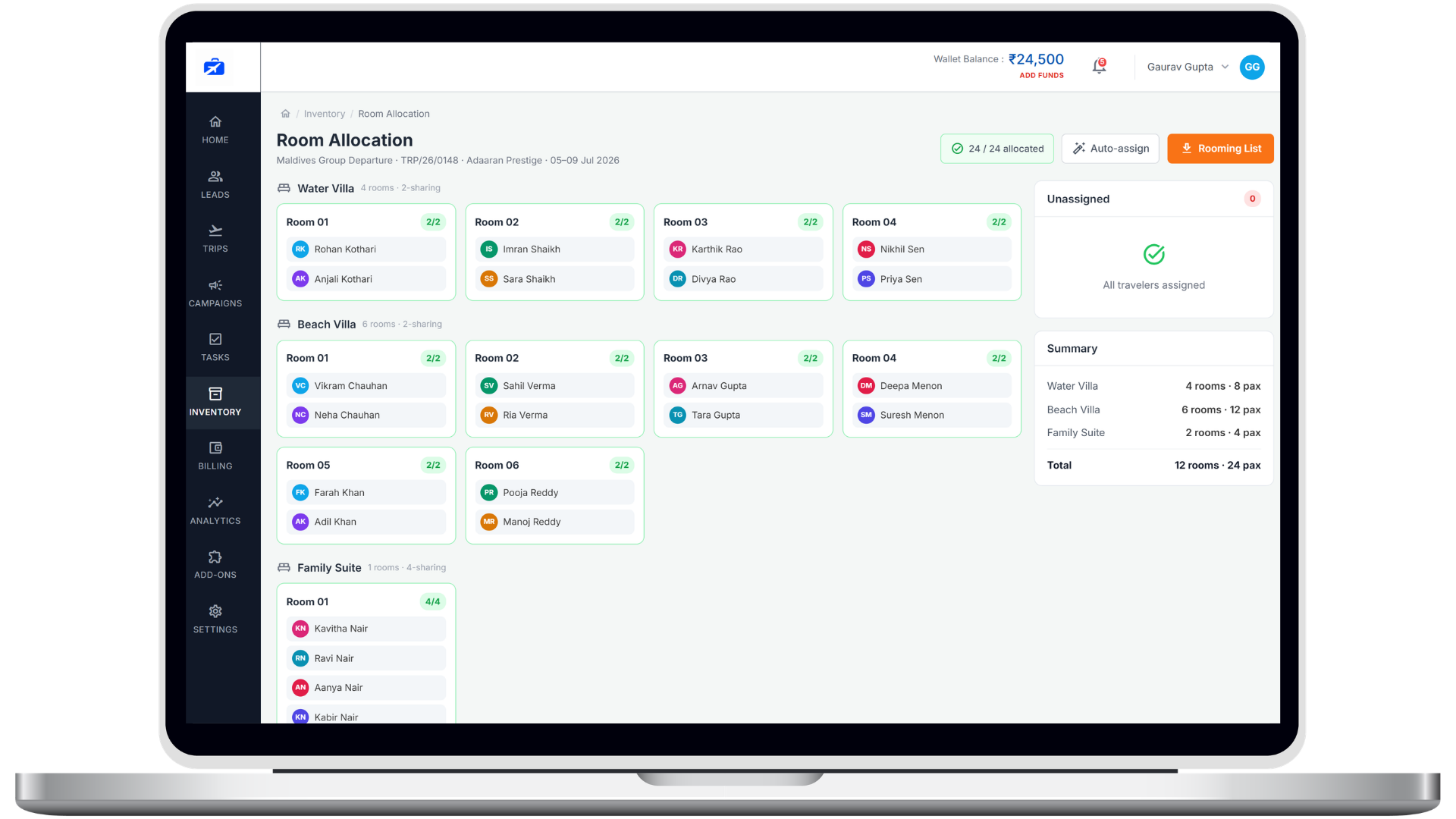
Drag guests into rooms and TravelyOS handles the rest- single supplements, gender and meal rules, occupancy limits and double-booking alerts- then exports a clean manifest your hotel can actually use.

Rooming lists are where group trips go wrong.
Two people edit the same Excel file. Supplements get forgotten. Couples get split up. And conflicts only surface when guests are standing in the lobby at check-in.
One shared, live allocation
Everyone works the same board in real time- no file versions, no overwrites, no “which sheet is current?”.
Supplements calculated for you
Single occupancy, extra beds and tier upgrades are priced automatically the moment you assign the room.
Rules enforced as you drag
Set gender, family-only and pure-veg rules once; the allocator simply won’t let you break them.
Conflicts caught instantly
Over-capacity and double-booked rooms are flagged the second they happen- long before check-in.
Rooming that does
the hard part for you
Assign visually, price automatically, and hand your hotel a manifest they don’t have to decode.
Drag, drop, done
See every room and traveler on one board. Drag a guest into a room and capacity, sharing type and pairing update live.
Supplements priced live
Single supplements, extra beds and tier upgrades are computed automatically and pushed to each traveler’s ledger.
Export a clean manifest
Send a PDF or Excel rooming list- grouped by room type, floor or meal preference- straight to the property.
For the trickiest groups you run
Pilgrimage, school and corporate groups all have rules- the allocator handles them.
Gender & family rules
Enforce gender-wise rooming or keep families together automatically as you assign.
Meal-type mapping
Tag pure-veg, Jain and non-veg travelers and carry it through to the hotel manifest.
Multi-hotel trips
Run different properties across cities on one tour, each with its own room board.
Last-minute re-rooming
A cancellation or addition re-balances rooms and supplements without a manual redo.
Vendor-ready exports
Manifests formatted exactly how hotels want them- no reformatting on the other end.
Occupancy at a glance
See filled, open and conflicting rooms across the whole trip in one view.
Frequently asked questions
Everything you might be wondering about this part of the platform.
Never dread a rooming list again
See drag-and-drop allocation, automatic supplements and one-click manifests on your own group sizes.